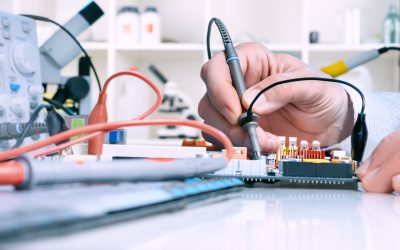
A network equipment inventory is a detailed record of the devices, hardware, access points, cables, routers, switches, servers, phones, and workstations that support daily business operations. For commercial teams in Phoenix, AZ, this inventory helps improve managed IT support, reduce downtime, simplify troubleshooting, and keep business systems easier to manage as the company grows.
Many small businesses rely on connected equipment every day but do not always have a clear record of what they own, where it is located, who uses it, or when it needs replacement. Without that information, even a simple support request can take longer to resolve. A clear inventory gives businesses and support providers the visibility needed to act faster.
What Is a Network Equipment Inventory?
A network equipment inventory is a central list of all equipment connected to or supporting a business network. This can include desktops, laptops, printers, servers, routers, switches, firewalls, Wi-Fi access points, phones, monitors, backup devices, and other office hardware.
A good inventory should include device names, model numbers, serial numbers, purchase dates, warranty details, assigned users, physical locations, IP addresses, login ownership, and replacement timelines. It should also note whether the equipment is active, inactive, outdated, or due for review.
For small businesses, the inventory does not need to be overly complex. The goal is to create a reliable record that helps employees, managers, and support teams understand what is in use and what needs attention.
Why Does Equipment Visibility Matter for Commercial Teams?
Commercial teams often work across departments, offices, desks, shared workstations, and remote locations. As the business adds employees, devices, phone systems, printers, and network hardware, the equipment environment can become difficult to track.
Without visibility, businesses may not know which devices are outdated, which employees have assigned workstations, which printers are active, or which network hardware supports key operations. This can create delays when something stops working.
Equipment visibility supports better planning. Businesses can budget for replacements, avoid surprise failures, and identify which systems may need maintenance before they interrupt daily work.
How Can Inventory Records Improve Troubleshooting?
Troubleshooting becomes faster when support teams know the exact equipment involved. If an employee reports a slow workstation, a printer failure, or a connection problem, device details help narrow the issue quickly.
Without an inventory, support may need to ask multiple questions before starting: What device is affected? Where is it located? How old is it? What network is it connected to? Who uses it? Has it had problems before?
A managed IT service can use inventory records to identify patterns and reduce guesswork. If several devices from the same purchase year are failing, the issue may be equipment age. If one office area has repeated connection problems, the issue may involve access points, wiring, or network layout.
Why Is Inventory Important for Small Business Growth?
Small businesses often grow in stages. A company may begin with a few computers and phones, then add more staff, additional desks, cloud access, printers, security tools, and new office space. If equipment is not tracked, growth can create confusion.
IT support for small business operations should include device and network documentation because growth increases complexity. New employees need workstations. Existing employees may need upgrades. Older equipment may no longer support current workflows.
A clear inventory helps business owners make better decisions. Instead of replacing equipment only after it fails, they can plan refresh cycles and prioritize the most important needs first.
How Does Inventory Help With Security?
Equipment inventory also supports security. A business cannot fully protect devices it does not know exist. Unknown laptops, old routers, unused workstations, or forgotten access points can create risk if they remain connected or unmonitored.
An inventory helps identify outdated equipment, unsupported devices, and hardware that should be removed from the network. It can also help confirm which devices need updates, endpoint protection, secure access settings, or replacement.
For companies comparing managed services IT providers, inventory management is an important topic to ask about. Providers that understand the full equipment environment can support safer access, cleaner documentation, and more consistent maintenance.
What Should Be Included in an Equipment Inventory?
A practical inventory should include basic device information and business-use details. This may include device type, brand, model, serial number, purchase date, warranty status, assigned employee, office location, network connection, installed software, and support history.
Businesses should also include equipment condition. A device may still function but may be too slow, too old, or too unreliable for daily use. Marking equipment as active, retired, replacement-needed, or backup-only can help avoid confusion.
For phone systems, the inventory should include desk phones, extensions, call routing equipment, and users assigned to each device. For network hardware, it should include routers, switches, firewalls, cabling notes, and access points.
How Often Should Businesses Update the Inventory?
A network equipment inventory should be updated whenever equipment is purchased, replaced, reassigned, repaired, retired, or moved. It should also be reviewed during office moves, employee onboarding, employee offboarding, and system upgrades.
At minimum, small businesses should review the inventory a few times per year. Businesses with frequent hiring, multiple locations, or many connected devices may need more frequent updates.
The inventory should not be treated as a one-time project. It should be a living record that changes with the business. When it stays current, it becomes much more useful during support requests and planning discussions.
How Can Managed Support Providers Use Inventory Data?
Managed support providers can use inventory data to monitor equipment age, track recurring issues, support help desk requests, plan replacements, and improve response times. This makes support more organized and less reactive.
For Phoenix businesses, companies such as Next Level Tech can provide managed it support that helps commercial teams keep devices, users, and business systems better organized. Their support can help businesses move from scattered equipment records to a clearer structure for troubleshooting, planning, and maintenance.
IT solutions for small business environments are more effective when they are based on accurate information. A current inventory gives support providers the details needed to recommend practical next steps.
Keep Equipment Records Clear Before Problems Slow the Workday
A missing device record can turn a simple issue into a long support delay. Commercial teams in Phoenix can reduce downtime, improve planning, and support safer daily operations by keeping network equipment inventories current. Start with clear records, regular reviews, and organized support so every device has a place, purpose, and plan.